

Moodle plugin · Free to install
Lumination AI Course Generator turns your PDF, Word and text documents into structured Moodle courses, with a section for each module and a page for each lesson, ready for you to review and publish.
Works with
Moodle 4.4 to 5.2
Upload
PDF, DOCX and TXT
Creates
Course sections and lesson pages
Needs
A Lumination API key
How it works
01
Upload
Add a source document and choose the course language.
02
Review the outline
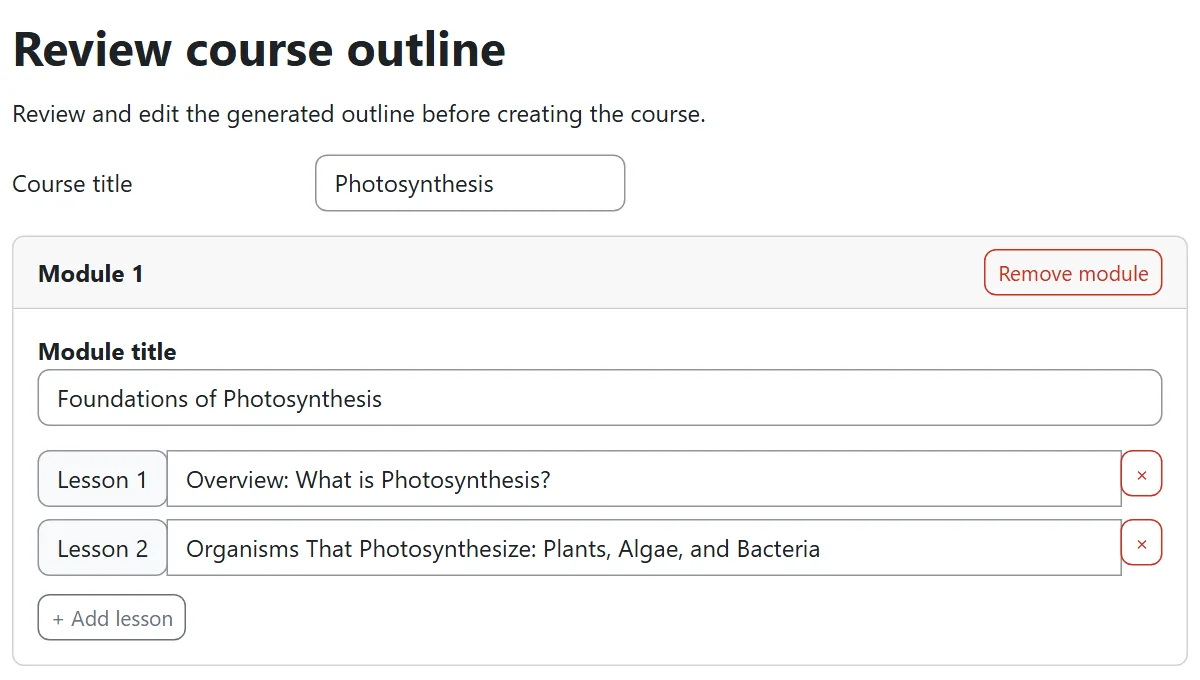
The plugin proposes modules and lessons. Rename, add or remove them before anything is created.
03
Create
One click builds the course. Lessons are written in the background, and a progress page shows how far it has got.
What you get
Editable outline
Nothing is created until you approve the course structure.
Background generation
Large courses build in the background, so you can leave the page.
Usage dashboard
Requests, tokens and credits per day, action and user.
Test connection
A settings button checks your key without spending credits.
Clear errors
Each message says what to check and gives a request ID for support.
English and Spanish
The interface ships in English and Spanish.
Inside Moodle
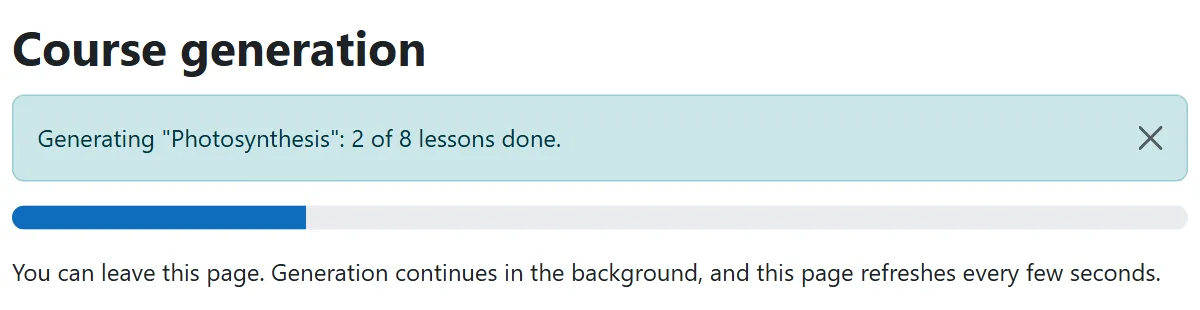
Lessons are written in the background, so you can leave the page.
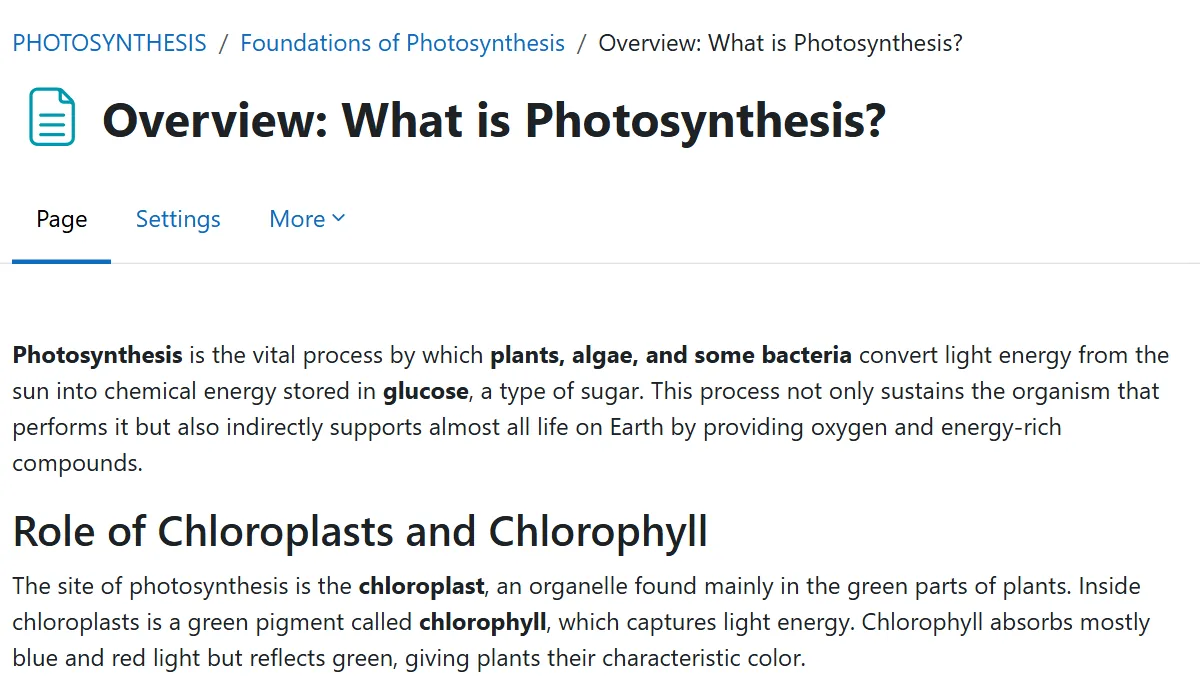
Each lesson is written from your document, ready to edit like any Moodle page.
Set it up in minutes
- Install the plugin from the Moodle plugins directory, or upload the zip under Site administration, Plugins, Install plugins.
- Get a Lumination API key. Ask us for a free test key.
- Enter the key under Site administration, Plugins, Local, Lumination AI, and press Test connection. On Moodle 5.0 or later, the Lumination AI Provider can hold the key for all our plugins.
- Open the AI Course Generator from the navigation drawer.
Your documents. To generate a course, the plugin sends your documents to the Lumination API, hosted on Amazon Web Services in Frankfurt, inside the EEA. Read the API privacy policy.
Lumination AI plugins for Moodle
All our Moodle plugins are free to install and share one Lumination API key. See all plugins and the API.
Moodle AI Quiz Generator
Writes multiple-choice questions from your documents into the question bank, each with an explanation and a hint.
Moodle AI Tutor
A course activity where students ask questions in their own words and get answers from the material you add.
Lumination AI Provider
Runs Moodle’s own AI tools, such as text generation in the editor and summaries in course assistance, on your Lumination account, and holds one key for all our plugins. Moodle 5.0 and later.
Need it customised?
We can extend the plugin or build a new one for your Moodle, for example other activity types, your own content rules, or a connection to your other systems.