

Moodle plugin · Free to install
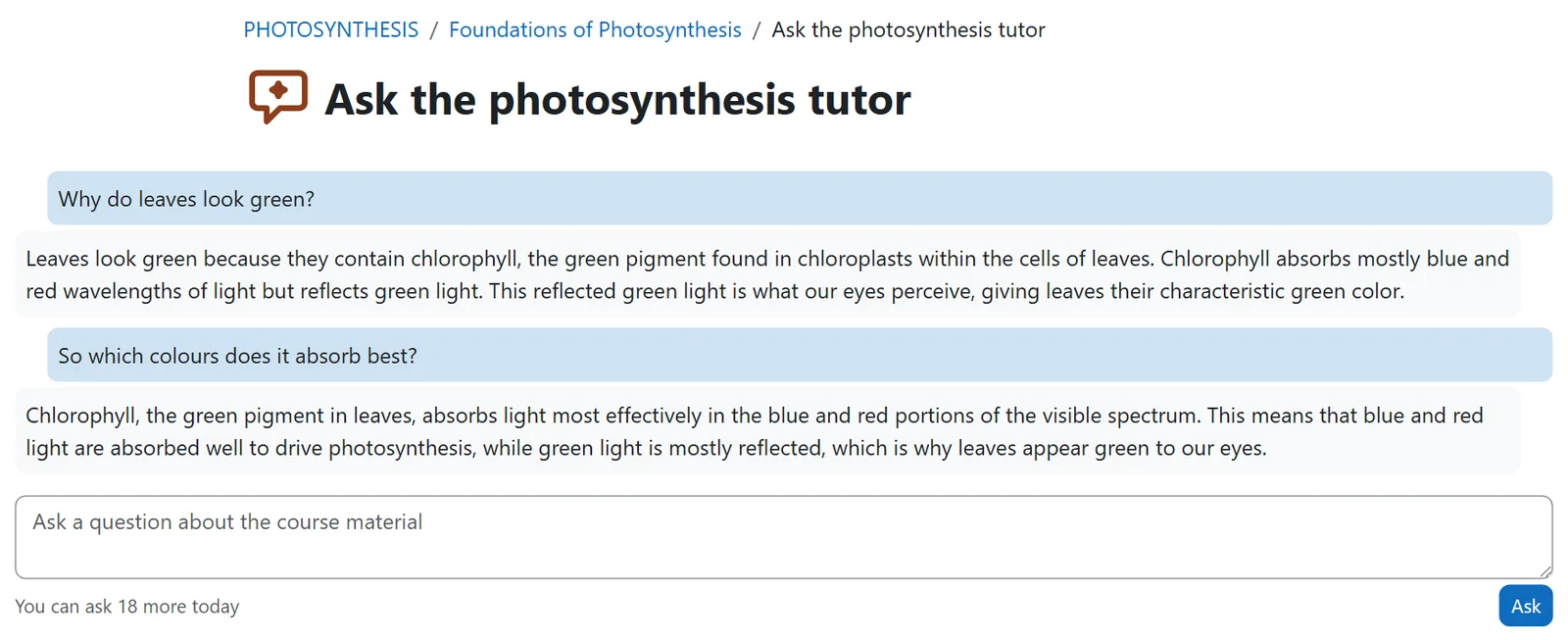
Lumination AI Tutor adds an AI tutor to your Moodle course. Students ask questions in their own words and get answers from the course material you give it.
Works with
Moodle 5.0 and later
Answers from
A PDF, DOCX or TXT you add
Adds
A course activity
Needs
The Lumination AI Provider
How it works
01
Add the activity
Add a Lumination AI Tutor to a course section, like any activity. Add one per topic to give each its own material.
02
Give it the material
Add the document it answers from, switch it on and set how many questions each student can ask per day.
03
Students ask
Students type a question and get an answer from your material, usually within 10 to 20 seconds.
What you get
Grounded in your material
Answers come from the document you add, so they follow what you teach.
A conversation per student
The tutor remembers each student’s earlier questions. A new document starts fresh conversations.
The student’s language
A question asked in Spanish gets an answer in Spanish.
A daily limit per student
You set how many questions each student can ask per day (20 by default), which keeps costs predictable.
Usage at a glance
The activity shows how many questions students asked today and in total.
Works like any activity
Activity completion, logs, and backup and restore work as they do for other activities.
Inside Moodle
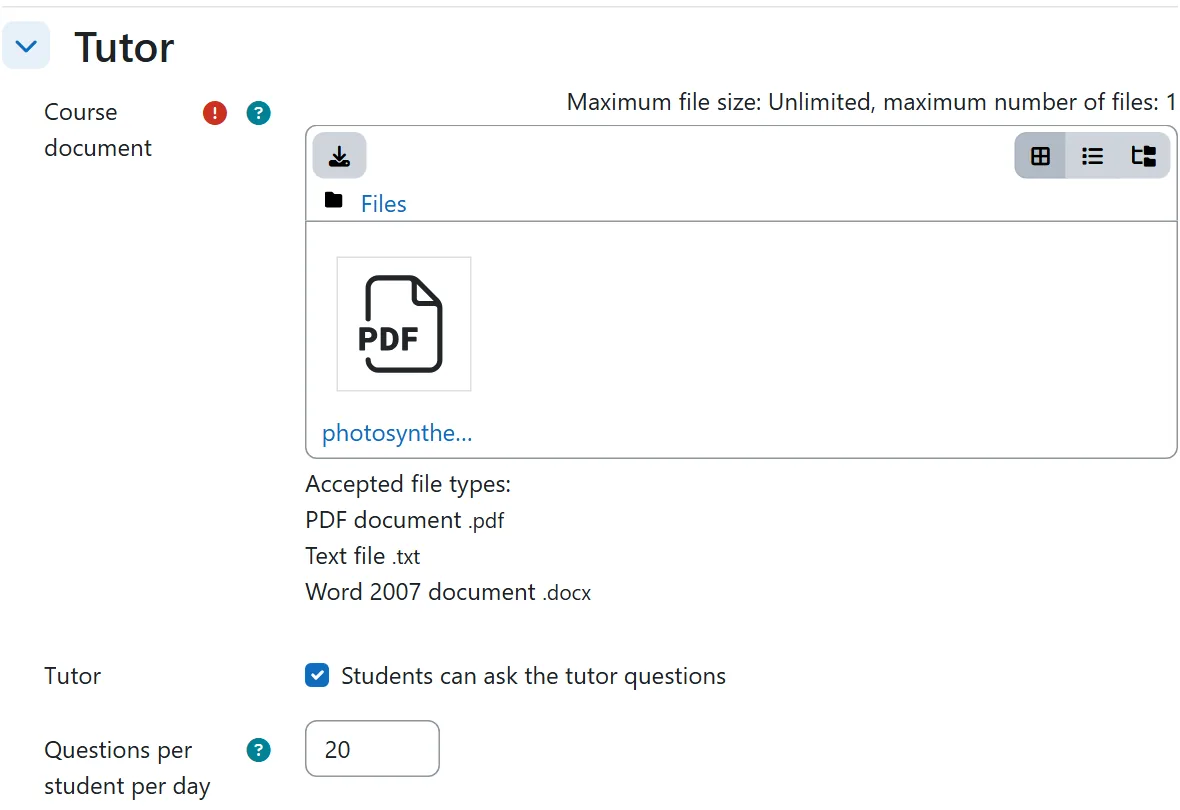
The teacher adds the course document, switches the tutor on and sets a daily limit.
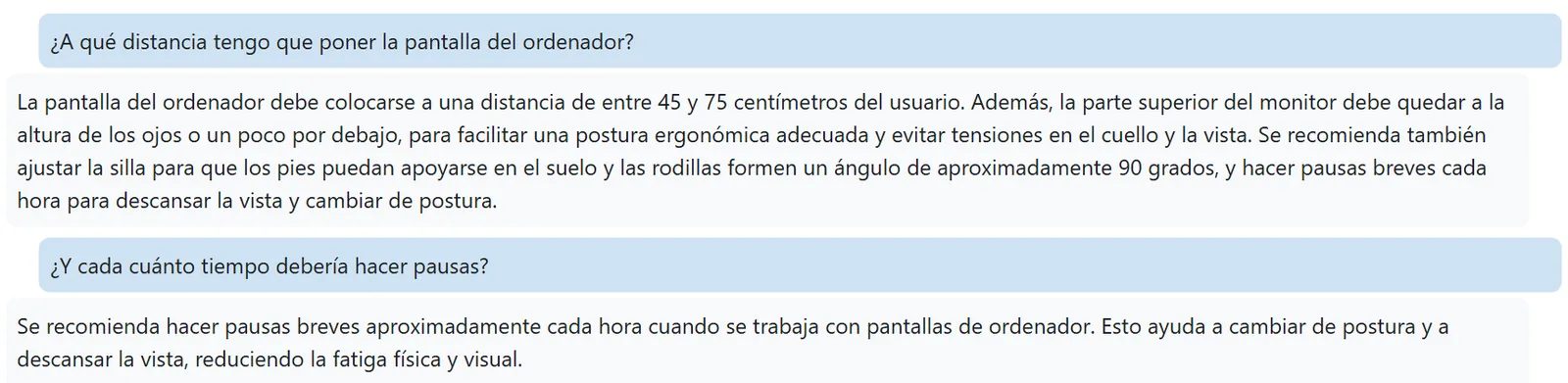
Students can ask in their own language, here Spanish.
Set it up in minutes
- Install the Lumination AI Provider and the AI Tutor from GitHub, or upload their zips under Site administration, Plugins, Install plugins.
- Get a Lumination API key. Ask us for a free test key.
- Add the key under Site administration, AI, AI providers. The Lumination AI Provider holds one key for all our plugins.
- Add a Lumination AI Tutor activity to a course section and give it the course document.
Your students’ questions. Each question, and the teacher’s document at the start of a conversation, goes to the Lumination API, hosted on Amazon Web Services in Frankfurt, inside the EEA. Students’ names and email addresses are never sent. Read the API privacy policy.
Lumination AI plugins for Moodle
All our Moodle plugins are free to install and share one Lumination API key. See all plugins and the API.
Moodle AI Course Generator
Turns your documents into complete Moodle courses, with an outline you review before anything is created.
Moodle AI Quiz Generator
Writes multiple-choice questions from your documents into the question bank, each with an explanation and a hint.
Lumination AI Provider
Runs Moodle’s own AI tools, such as text generation in the editor and summaries in course assistance, on your Lumination account, and holds one key for all our plugins. Moodle 5.0 and later.
Need it customised?
The tutor runs on the same engine as our white-label AI Tutor. We can tailor it for your institution, for example with your own tutoring rules, several documents per topic, or the same tutor in your own app.